
Download Rememory | Clipboard Manager – Clipboard History, Productivity, Keyboard Shortcut, Image Copy, Data Preview
Overview
Rememory | Clipboard Manager is a productivity-focused mobile application designed to streamline the process of managing copied content across devices. Its primary purpose is to extend the standard clipboard functionality by preserving an unlimited history of copied items, including text, HTML, images, and formatted content. This capability addresses a common limitation in mobile operating systems, where users typically lose clipboard data after a single paste or upon switching apps. By maintaining a persistent history, Rememory helps users avoid the frustration of having to re-copy essential information.
The app is particularly beneficial for professionals, students, and content creators who frequently transfer data between documents, messaging platforms, and web browsers. Real-world use cases include compiling research notes, transferring formatted text from articles, and saving images for later use in presentations or social media posts. The app’s ability to store and retrieve content efficiently supports a seamless workflow, reducing time spent on repetitive copying tasks.
Although the developer did not provide additional technical details, the app’s functionality suggests a focus on performance and reliability. Its integration with system-level clipboard operations indicates a deep level of access, which may require elevated permissions. Rememory fills a gap in the mobile app ecosystem by offering a robust clipboard management solution that enhances digital productivity without adding complexity.
Key Features & Functionality
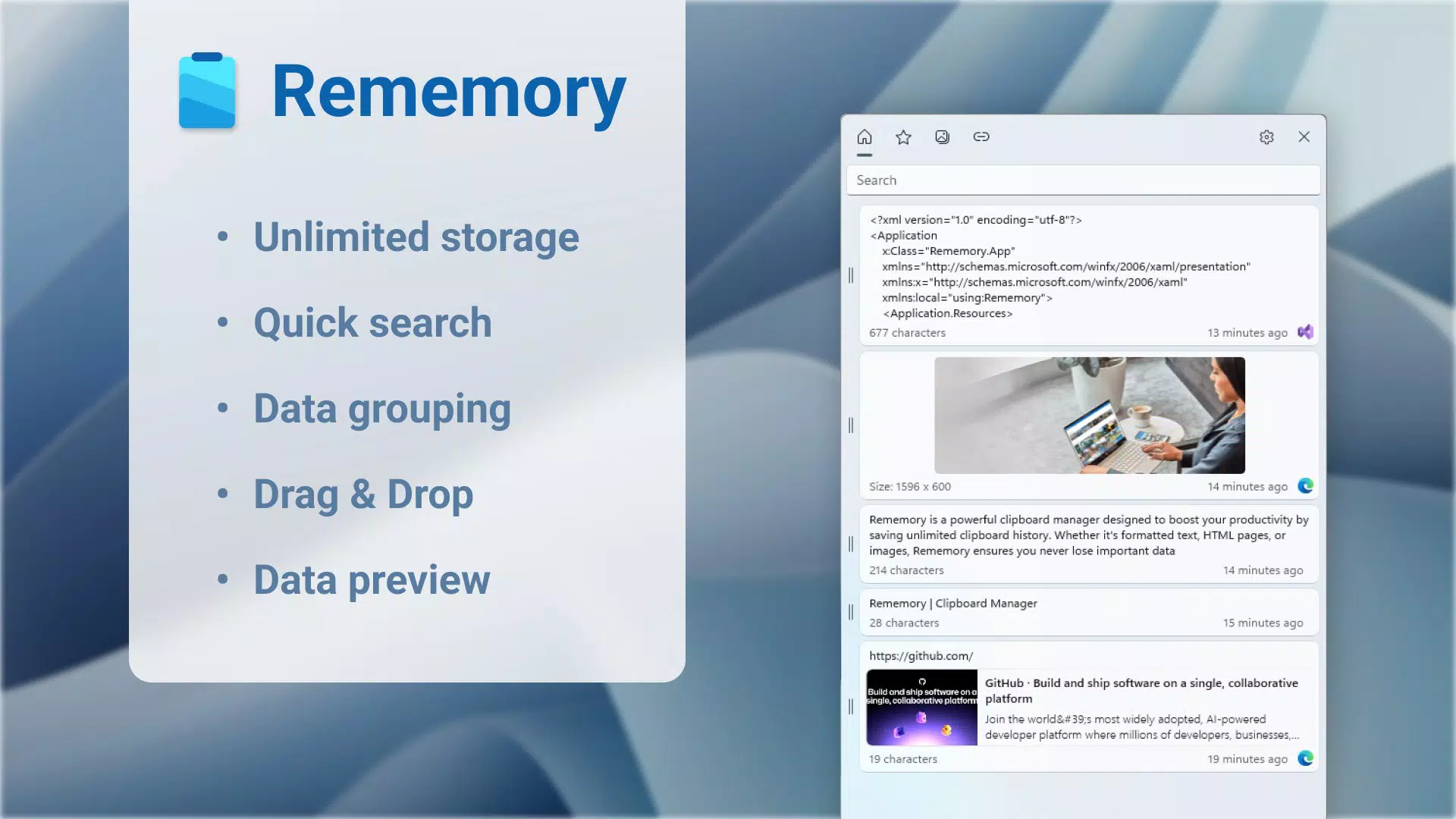
- Unlimited Clipboard History: Rememory stores every copied item indefinitely, ensuring no data is lost. This is especially useful for users who handle large volumes of text, links, or visual content across multiple sessions.
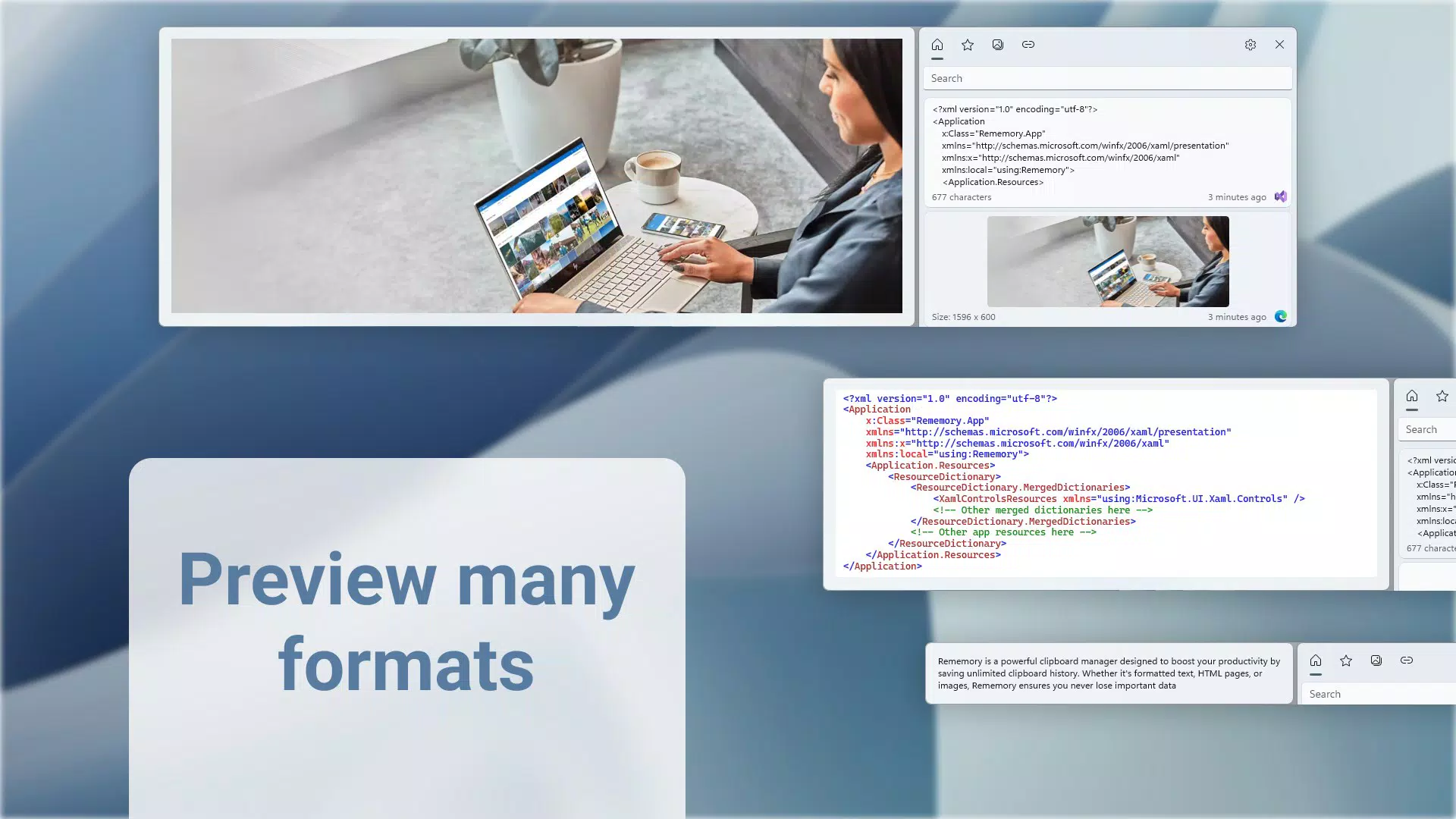
- Multi-Format Support: The app preserves various data types, including plain text, formatted text, HTML pages, and images. This versatility allows users to maintain context and formatting when pasting content into different applications.
- Quick Access via Keyboard Shortcut or Tray Icon: Users can open the clipboard history instantly using a customizable keyboard shortcut or through a system tray icon, minimizing workflow interruptions.
- Advanced Search Functionality: A built-in search tool enables users to locate specific entries quickly by keyword, date, or content type. This feature enhances usability when managing a large volume of stored clips.
- Organizational Categories: Items are automatically sorted into categories such as favorites, images, and links, making it easier to navigate and retrieve relevant content.
- Link and Data Previews: Before pasting, users can preview links and data directly within the app, reducing errors and improving decision-making during content transfer.
- Administrator Mode: Running the app with elevated privileges ensures that all clipboard data is saved to disk efficiently and securely, providing a reliable backup of user content.
For example, a researcher compiling references from multiple websites can copy each URL and note, then later retrieve them with a single search. Similarly, a designer can save multiple image snippets and preview them before inserting into a project, maintaining visual consistency and accuracy.
Interface, UX & Performance
Rememory features a clean, intuitive user interface designed for efficiency and minimal distraction. The layout prioritizes accessibility, placing the clipboard history front and center with clear visual indicators for different content types. Text entries are displayed in readable font styles, while images are shown in thumbnail form, allowing users to scan through pasted content quickly.
Navigating the app is straightforward, with a logical flow from viewing the history to selecting and pasting items. The use of a tray icon and keyboard shortcut ensures that the app remains accessible without requiring full-screen engagement, which is ideal for multitasking users. The interface adapts to different screen sizes, offering a consistent experience across various device categories.
Although the developer did not list formal performance metrics, the app’s design suggests optimized resource usage. Responsiveness is likely maintained through efficient background processing and memory management. Stability is expected to be high, given the app’s focus on core functionality without unnecessary bloat. Users can expect smooth transitions between views and fast load times for the clipboard history.
Platform Compatibility & Technical Requirements
Rememory | Clipboard Manager is available on the Android platform. The app supports the latest version of Android, though specific OS requirements were not listed. The file size is 14.5 MB, which is relatively lightweight for a utility app with advanced features. This compact size suggests efficient code structure and minimal overhead.
Compatibility information was not fully disclosed, so users should ensure their device meets general Android standards for running third-party applications. The developer did not specify minimum OS versions or hardware requirements, so installation may depend on the device’s current configuration and system updates.
Pros and Cons
Pros
- Unlimited clipboard history preserves all copied content without loss.
- Supports multiple formats including text, HTML, and images.
- Quick access via keyboard shortcut or tray icon enhances workflow efficiency.
- Search and categorization features improve content retrieval.
- Link and data previews reduce errors during pasting.
- Lightweight file size (14.5 MB) ensures minimal storage impact.
Cons
- Specific system requirements were not disclosed.
- Administrator mode may require elevated permissions, which could raise privacy concerns.
- No public information on update frequency or long-term support.
- Compatibility with older Android versions is uncertain.
- No mention of cloud sync or cross-device backup features.
FAQ
Is Rememory | Clipboard Manager safe to install?
The app operates within standard Android permissions. While it requires access to clipboard data, it does not share this information externally. Users should ensure installation from trusted sources to maintain security.
Can I use Rememory on older Android devices?
Compatibility with older Android versions was not specified. Users are advised to check their device’s OS version and ensure it meets the app’s requirements before installation.
Does Rememory support copying images and formatted text?
Yes, the app supports images, formatted text, and HTML content, preserving the original appearance when pasted into compatible applications.
How do I access the clipboard history?
Users can open the history using a customizable keyboard shortcut or by clicking the tray icon, allowing quick access without leaving the current app.
Is there a free version of Rememory?
The app’s price was not disclosed. Users should verify the current pricing and availability on the official app store.
Final Thoughts
Rememory | Clipboard Manager stands out as a practical, no-frills tool for users seeking to maximize their mobile productivity. Its ability to retain an unlimited clipboard history across multiple formats makes it a valuable asset for anyone who frequently transfers data between apps. The thoughtful design, intuitive interface, and powerful search functionality ensure that users can retrieve content quickly and accurately.
While some technical details remain undisclosed, the app delivers on its core promise: enhancing efficiency through reliable clipboard management. It is particularly well-suited for professionals, students, and creatives who rely on seamless content transfer. With a lightweight footprint and robust feature set, Rememory offers strong value for its intended use case.
Download Rememory | Clipboard Manager now and transform the way you manage your copied content.


